
Bio Templates: Aesthetic Copy and Paste Layouts for Every App
Bio templates save you from staring at an empty profile field for twenty minutes straight. This page holds ready made layouts for Instagram, TikTok, Discord, and nearly every other app you use.
Here’s the thing, a blank bio field feels harder to fill than it should. Most people freeze up trying to sound clever. These ready made layouts skip that struggle completely. Pick one below, drop in your name and interests, and you are done.
Maybe you want something soft and dreamy for Instagram. Maybe your Discord server needs a punchy welcome layout instead. This page covers both moods and plenty in between. Scroll through, copy a template, and make it yours in seconds.
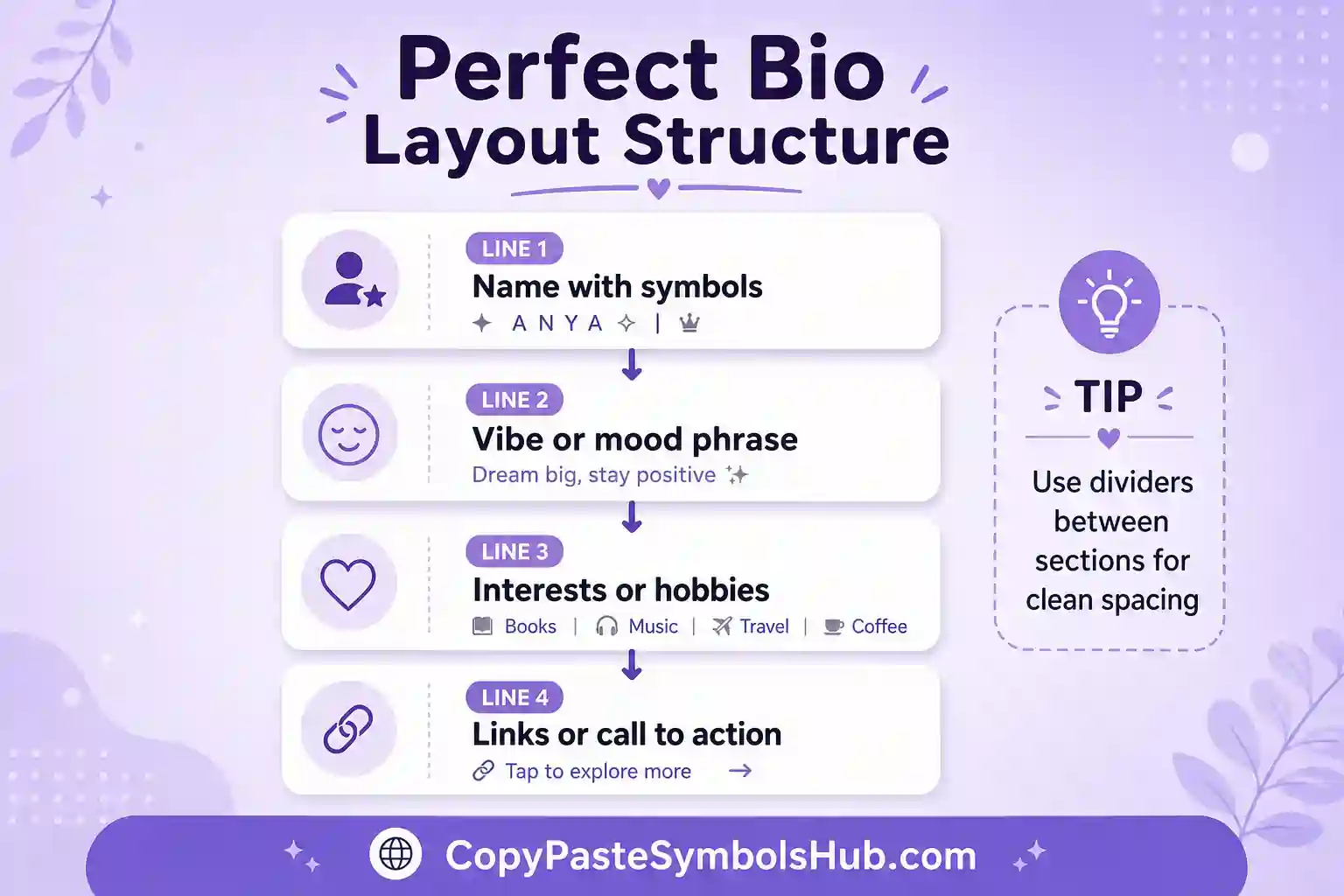
How to Use a Bio Template the Right Way
Copying a template here takes one click, just like everything else on this page. Tap or click a design and it copies straight to your clipboard. Paste it into your bio field, then swap the placeholder words for your own details.
Keep your favorite parts and delete the rest if a template runs too long for your platform. Instagram allows 150 characters, so trim accordingly. TikTok and Discord both give you a little more room to work with.
Never copy a template word for word without changing anything at all. Add your real name, your actual hobbies, or an inside joke only your friends would recognize. That small change turns a generic layout into something that actually sounds like you.
Aesthetic Instagram Bio Layouts
These layouts mix soft dividers, gentle symbols, and short phrases into a clean visual block. They work great for a dreamy or minimalist Instagram feed. Copy the whole thing, then edit each line to match your own personality.
⌇ [hobby] ✦ [hobby]
˚。⋆ soft days ahead ⋆。˚Tap to copy
↳ dreamer ⋆。˚ [interest]
°• collecting quiet moments •°Tap to copy
[name] ⌇ [age/sign]
favorites: [thing] × [thing]Tap to copy
living slow, dreaming big
✦ [hobby] ✦ [hobby] ✦Tap to copy
⌇ soft spoken, big heart
fav: [song] ⋆。˚Tap to copy
[quote or vibe here]
⌇ [hobby] + [hobby]Tap to copy
Cute and Short Layouts
Sometimes less really is more, especially on a platform with a tight character limit. These short templates say a lot using very few words. Perfect for Twitter, Snapchat, or any bio field that punishes long paragraphs.
Dating Profile Bio Layouts
A dating bio needs to grab attention fast while still sounding genuine. These templates mix a little humor with a clear sense of personality. Swap the placeholder interests for your real ones and add a touch of your own voice.
looking for someone who gets my humorTap to copy
swipe right if you can keep upTap to copy
coffee snob, terrible dancer, great listenerTap to copy
bonus points if you also love [interest]Tap to copy
Goth and Emo Bio Layouts
Dark aesthetic profiles need their own kind of template entirely. These layouts use crosses, chains, and moody phrasing instead of pastel hearts. They fit gothic Discord servers, emo TikTok accounts, and any profile chasing that heavier mood.
lost in the static ⛓️
fav: [song] ⋆ [movie]Tap to copy
quiet mind, heavy heart 🖤
[hobby] when the world gets loudTap to copy
softer than i look, darker than i soundTap to copy
running on [song] and bad decisionsTap to copy
Gaming and Roblox Bio Layouts
Gaming profiles want personality plus a few useful details packed into a small space. These templates mention your playstyle, your favorite games, or your trading habits. Drop one into Roblox, Steam, or a Discord gaming server without much editing needed.
[game] main ⌇ trading & building
no random friend requests pleaseTap to copy
level [number] ⌇ [game] grinder
catch me online most nightsTap to copy
[game] enjoyer ⌇ chill vibes onlyTap to copy
Professional and Streamer Bio Layouts
A LinkedIn headline or a Twitch about section needs a calmer tone than a TikTok caption. These layouts still show personality, just with a little more polish. Swap in your real job title, platform, or content niche before you save.
helping [audience] with [skill]
open to connecting and new ideasTap to copy
[years] years in [industry]
passionate about [topic]Tap to copy
live every [day] ⌇ no toxicity allowedTap to copy
[game] streamer ⌇ new videos every [day]
lurkers welcome, chat is familyTap to copy
Trending and Popular Bio Ideas
These short layouts reflect common search patterns on Instagram, TikTok, and Discord. Copy one, replace the brackets, and trim to your platform limit.
currently: [hobby]Tap to copy
Creative Usage Examples of bio layouts
Match the template to the platform first. Instagram needs short lines. LinkedIn needs calm wording. Discord can hold a little more personality.
| Goal | Template style | Tip |
|---|---|---|
| Creator bio | Name · niche · link | Lead with what you post, not only aesthetic marks. |
| Dating bio | One joke + one hobby | Humor works better than a long symbol chain. |
| Gaming bio | Rank · main game · vibe | Keep symbols minimal so teammates read fast. |
| Professional bio | Role · value · contact | Skip heavy emoji unless your brand is playful. |
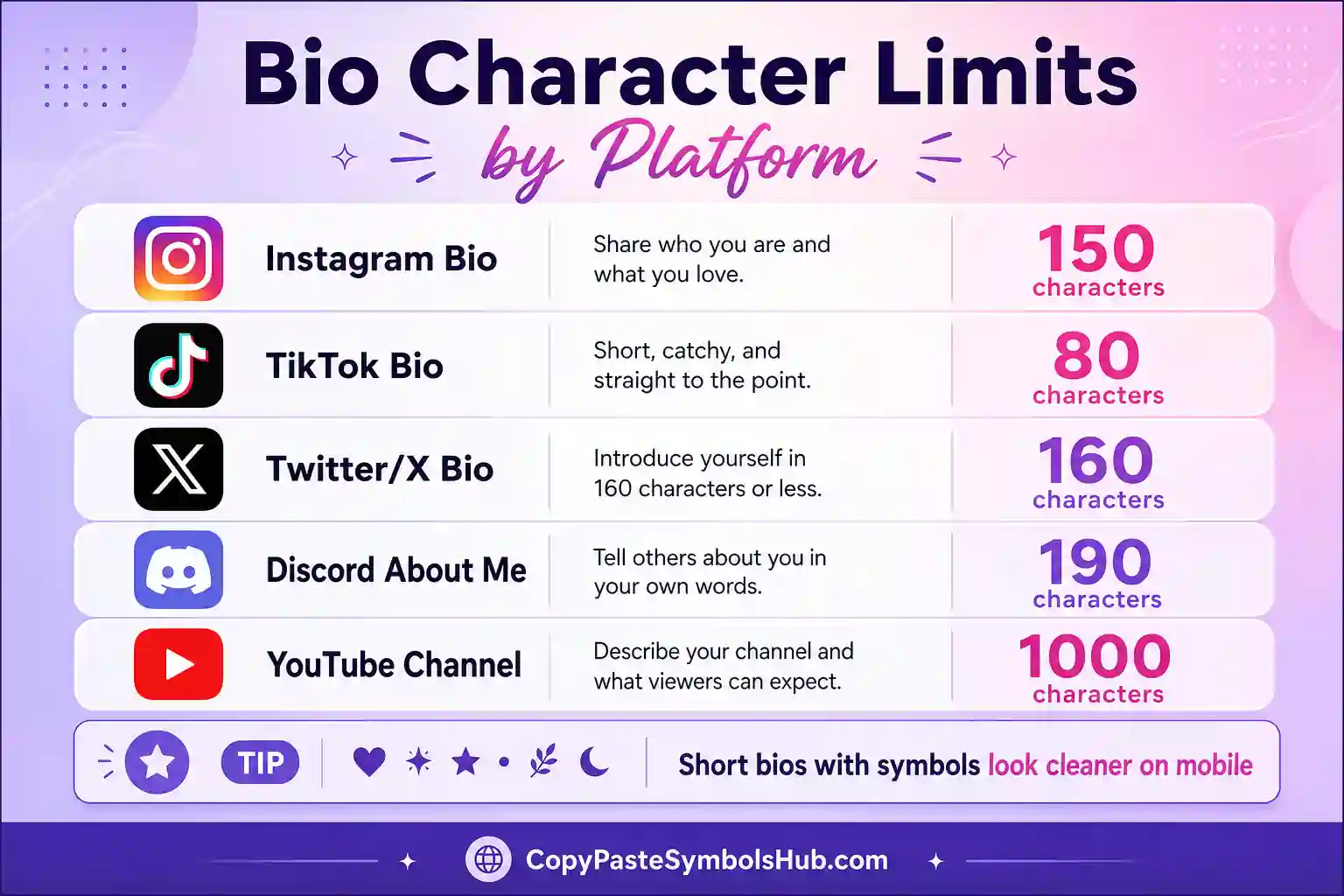
Bio Character Limits for Every Platform
Most people don’t realize each app caps a bio at a different length until a template gets cut off mid sentence. Check this table before you paste, then trim your favorite layout to fit.
| Platform | Bio Character Limit |
|---|---|
| 150 characters | |
| TikTok | 80 characters |
| Twitter / X | 160 characters |
| Discord (About Me) | 190 characters |
| LinkedIn Headline | 220 characters |
| Bumble | 300 characters |
Tips for Writing a Bio That Actually Sounds Like You
Where People Actually Use These Layouts
Most people paste a bio template straight into their Instagram or TikTok profile first. Discord server owners often use one for a welcome message or a personal introduction channel. Dating apps see plenty of use too, since a strong opening line makes a real difference in matches.
Streamers on Twitch and gamers on Roblox also lean on templates for their about section. A well built bio saves time and still leaves room for a little personality to shine through.
Honestly, a good template just gives you a starting point, not a finish line. Add your own details before you hit save on any profile.
Complete Guide to Using bio layouts on Social Media
Start with plain text. Add one bio layouts element. Test on mobile. Save when the line still reads in one breath.
Profiles that convert share identity fast. Decoration supports words; it does not replace them.
Reuse a small set of marks across platforms so your brand feels consistent instead of random.
| Step | Action | Why |
|---|---|---|
| 1 | Write base bio text | Clarity first |
| 2 | Pick one symbol or tool output | Tone second |
| 3 | Paste and count characters | Avoid truncation |
| 4 | Screenshot on phone | Catch wrap issues |
| 5 | Publish and revisit monthly | Stay current |
Audience Psychology and Profile Scannability
Visitors decide in seconds. Lead with who you are, what you post, or why to follow.
Symbols guide the eye but words carry meaning. Balance both for trust and aesthetic.
Editing Checklist Before You Go Live
Read aloud once. Remove one symbol if you stumble. Confirm niche is obvious. Confirm CTA or link still fits.
Bio Template Performance Mindset
Treat templates as starting hypotheses. Track link clicks or DM quality after a bio change when analytics exist.
Micro-Creator Bio Formula
Name, niche, proof, CTA. Example structure: Maya · book reviews · 40K readers · free list below.
Student and Portfolio Bios
Students lead with major or skill, then one personal detail. Portfolios name craft plus city plus contact path.
bio layouts for Creators and Small Business
Creator templates should name the content niche in line one. Business templates should name the customer outcome.
Add one proof point: years creating, clients served, or cities shipped to.
Dating and Friendship profile templates
Dating bios need one conversation hook. Friendship bios need one shared interest. Humor beats symbol density.
| Goal | Template focus | Avoid |
|---|---|---|
| Dating | Hook plus hobby | Long emoji chains |
| Friends | Inside joke tone | Generic quotes |
| Networking | Role plus value | Meme-only bios |
Refresh Schedule for ready-made bios
Update bios seasonally or when your content niche shifts. Templates make refresh faster than writing from scratch.
Bio Template Structure That Converts
Strong profile templates follow a simple frame: identity, niche, proof, and optional call to action. Symbols support the frame but should not replace your niche line.
Instagram rewards clarity in the first line. TikTok favors punchy words. LinkedIn needs calm professional tone. Discord can hold more personality.
Replace bracket placeholders with real details. A template with [city] and [hobby] filled in reads human. Empty brackets read copied.
| Template type | Lead line | Works on |
|---|---|---|
| Creator | Name · niche · link | Instagram, TikTok |
| Soft aesthetic | Mood word · slow life · interest | Instagram, Pinterest |
| Gaming | Rank · main game · vibe | Discord, TikTok |
| Professional | Role · value · contact | LinkedIn, X |
How to Customize Bio Templates Fast
Copy one template. Change one word to your city, job, or fandom. Trim symbols if you exceed the character limit. Read aloud once before saving.
Pair bio templates with the bio generator tool when you want a starting line, then refine manually for a personal touch.
Bio Template Mistakes That Hurt Profiles
Using every emoji category in one bio looks noisy. Pick one aesthetic and stay consistent.
Copying a dating bio template for a business page breaks trust. Match template tone to account purpose.
Related Collections
Pair these bio templates with symbol pages and generators for faster profile edits.
Edit these bio templates with one real detail so the layout sounds like you.
Soft creator bio templates work when the first line names your niche.
Gaming bio templates should lead with the main title or rank.
Short dating bio templates need one conversation hook, not five symbols.
Paste bio templates into Instagram first, then trim for TikTok length.
Professional bio templates stay cleaner with fewer emoji accents.
Reuse structure from bio templates, but rewrite every bracket word.
Seasonal bio templates refresh faster when you keep the handle stable.
Compare two bio templates for a week if you track profile clicks.
Mobile screenshots show when bio templates wrap too early.
Discord can hold longer bio templates than Instagram allows.
Related Tools and Symbol Pages
Pair bio templates with generators and platform-specific symbol guides for faster profile edits.
Quick Answers About Bio Templates
How do I use a bio template on Instagram?
Copy the template you like, then paste it directly into your bio field inside your profile settings. Replace any placeholder words with your real name, interests, or a favorite quote.
Can I edit a bio template after copying it?
Yes, and you actually should edit it every time. Swap in your own details so the final bio sounds personal instead of copied word for word.
What makes a good dating profile bio?
A good one shares one or two specific details instead of vague adjectives like fun or chill. Specific interests give someone an easy way to start a real conversation with you.
Why did my line breaks disappear when I pasted my bio?
Instagram and a few other apps sometimes strip line breaks during a direct paste. Paste the template into your Notes app first, add your details, then copy it again from there. That extra step usually keeps every line intact.
Do bio templates work the same on every social platform?
Mostly yes, though character limits vary between apps. Trim a longer template down if your platform caps your bio at a shorter length.
Your Next Profile Glow Up Starts Here
A great layout turns an empty profile into something that finally feels like you. Now you have free options ready for nearly every mood, platform, and career stage. Bookmark this page and copy a fresh one whenever your profile needs an update. Keep a stock of bio templates on hand and make every word your own.