
Copy and Paste Symbols: 900+ Free Aesthetic Emoji, Text Art and Bio Templates
Copy and paste symbols turn a plain bio into something that actually looks put together. This page links every collection on the site. Browse soft heart marks, gothic crosses, and full bio templates ready to edit.
Start small if you feel stuck. Search one word first, like heart, star, bio or font. Open the page that fits your mood. Copy one item, paste it, then check how it looks. If it feels too loud, pick a cleaner mark. If it feels too plain, add one divider. This symbol copy paste hub is built for fast choices, not endless scrolling.
Here’s the thing, most people settle for the same three symbols their keyboard already shows them. That gets boring fast, and every bio starts looking the same. This these symbols hub fixes that problem with hand picked combos sorted by real use.
Maybe you want a soft heart for an Instagram bio. Maybe a bold cross fits your gothic aesthetic better. Or maybe a full bio template saves you from writing one from scratch. Every option below solves a real search problem, not a random decoration problem.
Use this page like a map. Pick the mood first, then pick the mark. If your bio feels cold, start with hearts. If your name looks plain, try a divider. If you need a full profile line, open the bio page. Simple choice, fast copy, clean result.
Browse Every Symbol Collection on This Site
Each collection focuses on one specific style, so you never scroll through symbols that miss your vibe entirely. Tap a card below to open the full page and start copying right away.
Heart Symbol Copy and Paste
Heart emoji, unicode symbols, emoticons and kaomoji for love, friendship and soft aesthetic bios.
Explore heart symbols 183 symbolsBow Copy and Paste
Ribbon emoji, bowtie symbols and coquette kaomoji for a sweet, put together profile.
Explore bow symbols 149 symbolsCross Symbols Copy and Paste
Religious, gothic and aesthetic cross marks for faith based or dark academia bios.
Explore cross symbols 251 symbolsCoquette Emojis and Symbols
Soft, romantic coquette combos built around bows, hearts and delicate pastel details.
Explore coquette symbols 27 templatesProfile Bio Templates
Ready made bio layouts for Instagram, TikTok, Discord, dating apps and gaming profiles.
Explore bio templatesFree Generator Tools Coming With Their Own Pages
These tool pages support the main symbol pages. Each one targets a clear search intent, so users can style names, bios and dividers without jumping to another website.
Font Generator
Turn plain text into cursive, bold, gothic, tiny and aesthetic Unicode styles.
Open font tool Tool pageBio Generator
Build short profile lines for Instagram, TikTok, Discord, Roblox and dating apps.
Open bio tool Tool pageUsername Generator
Create clean handles and display names with symbols, dividers and short frames.
Open username tool Tool pageAesthetic Divider Generator
Copy neat line dividers for bios, captions, posts, channels and notes.
Open divider tool Tool pageName Decorator
Wrap any name with hearts, bows, stars, brackets and soft symbol frames.
Open name toolMore Topic Pages for Topical Authority
These pages expand the site beyond five traffic pages. They target common searches around cute symbols, social bios, dividers, kaomoji and aesthetic trends.
Aesthetic Symbols
Stars, sparkles, hearts, dividers and clean marks for any profile.
Explore topic Topic pageStar Symbols
Classic stars, sparkle marks and celestial accents for bios and names.
Explore topic Topic pageFlower Symbols
Floral marks, soft petals and nature-inspired symbols for gentle profiles.
Explore topic Topic pageCute Symbols
Kawaii marks, hearts, faces and tiny accents for playful bios.
Explore topic Topic pageKaomoji Copy Paste
Japanese-style text faces for happy, shy, sad and cute messages.
Explore topic Topic pageInstagram Bio Symbols
Symbols and layouts made for the 150-character Instagram bio limit.
Explore topic Topic pageDiscord Bio Symbols
Symbols for display names, servers, roles, welcome channels and statuses.
Explore topic Topic pageY2K Symbols
Retro stars, chrome moods and cyber-style symbols for throwback profiles.
Explore topic Topic pageKawaii Symbols
Soft Japanese cute symbols, kaomoji and tiny marks for sweet captions.
Explore topic Topic pageGothic Symbols
Crosses, daggers, black hearts and dark marks for gothic profiles.
Explore topicCopy Paste Emojis, Bio Ideas and Future Generator Tools
Competitor sites often split symbols, fonts and generators across messy pages. This home page keeps the main paths clear. Start with ready made collections now, then use generator style pages as the site grows.
Aesthetic Styles Covered Across the Collection
The biggest mistake people make is picking a symbol without matching the mood. A coquette bow, gothic cross and clean girl divider do different jobs. Use the guide below to choose faster.
Trending Symbol Searches People Copy Most
Traffic data shows hearts, bows, crosses, and coquette marks stay at the top year round. Bio templates and font tools spike when users refresh profiles for new seasons.
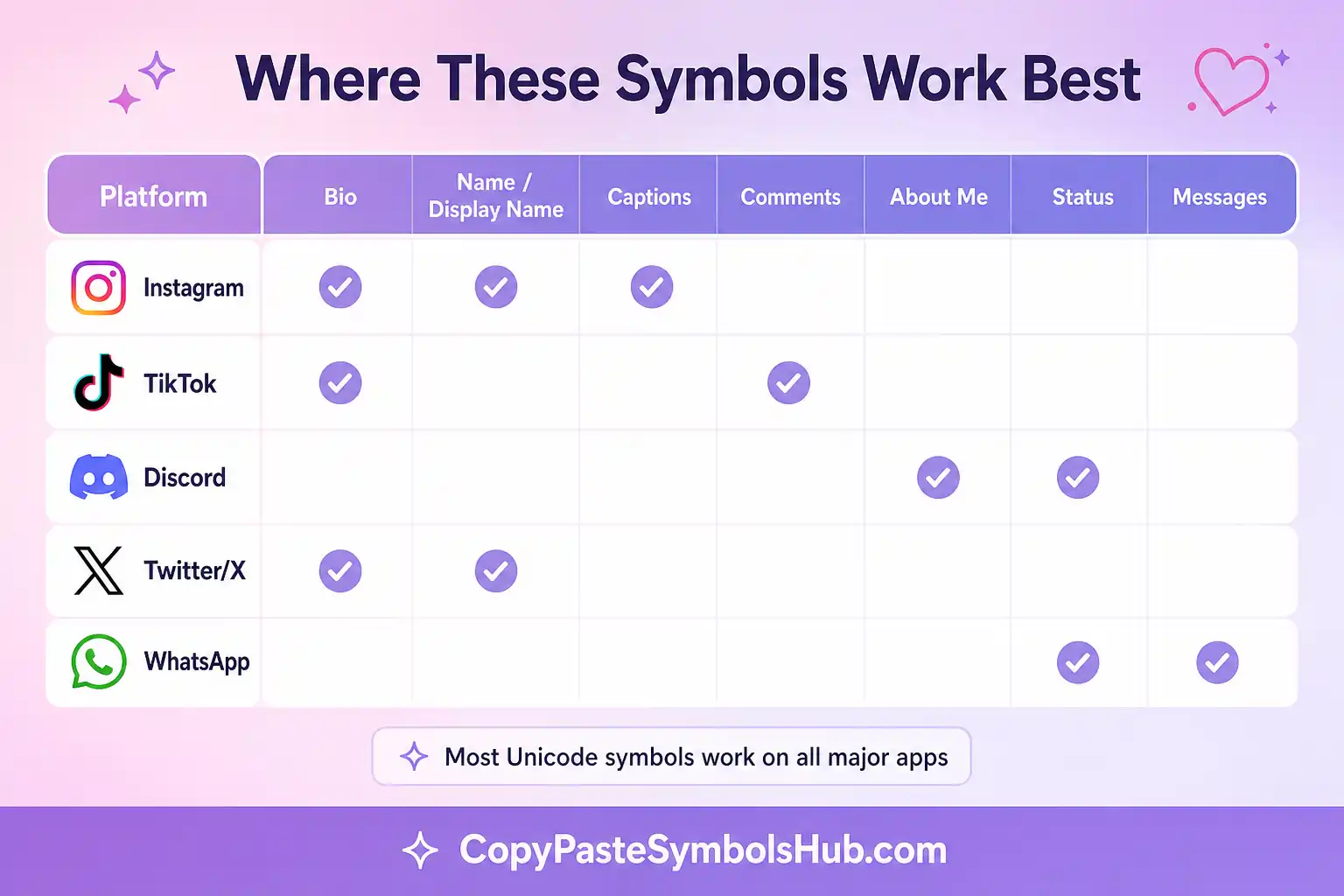
Where People Use Aesthetic Symbols Online
Symbols work best when they solve a small layout problem. They can separate bio lines, soften a caption, decorate a display name or make a server channel easier to scan.
| Platform | Best Use | Smart Choice |
|---|---|---|
| Bio lines, profile names, captions and story highlights. | Hearts, bows, dividers and short bio templates. | |
| TikTok | Short captions, display names and trend-based profile edits. | Coquette, Y2K, kawaii and soft girl symbols. |
| Discord | Server names, role labels, welcome channels and status text. | Crosses, kaomoji, dividers and gaming layouts. |
| Twitter or X | Compact names, short bios and post separators. | Minimal symbols and clean Unicode marks. |
| Roblox and Gaming | Display names, clan tags, trading notes and profile blurbs. | Gaming templates, stars, crosses and bold dividers. |
| WhatsApp and YouTube | Status lines, channel descriptions and simple name styling. | Heart symbols, text art and short profile layouts. |
Why Unicode Symbols Work Better Than Images
Most symbols here are Unicode characters, not pictures. That matters because Unicode text can paste into normal fields. It also loads fast, takes no storage and works inside most apps without a download.
Emoji can look slightly different on iPhone, Android and desktop. Plain text symbols usually stay more consistent. If your profile needs a polished look, mix both carefully. Use emoji for color, then use Unicode dividers for structure.
Why This Site Beats a Basic Symbol Keyboard
Plenty of sites offer a handful of symbols and call it done. This one goes further on quality, quantity and actual usability. Every category feels finished, not half built.
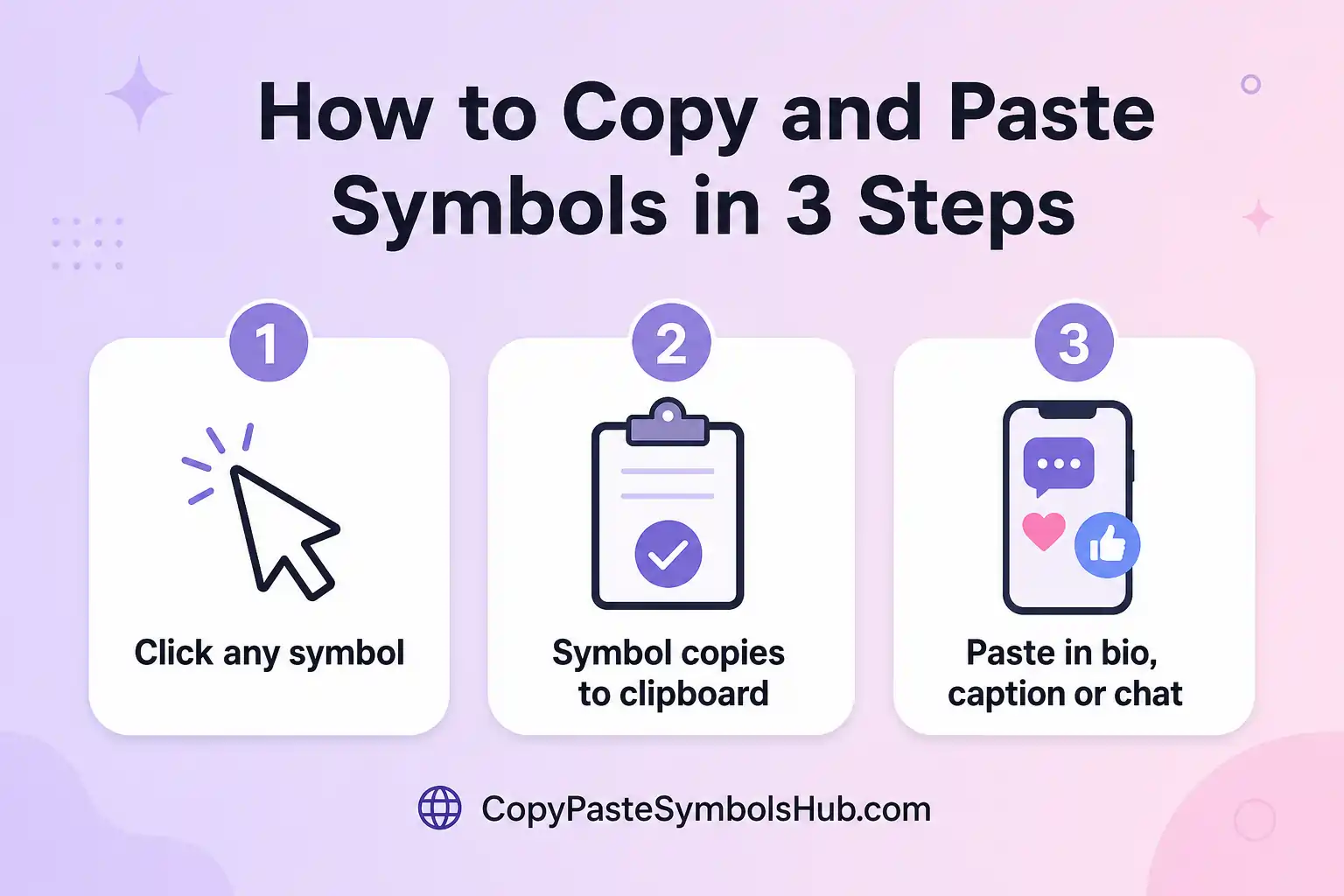
How to Copy and Paste a Symbol in Three Steps
What Makes Quality Symbol Content Different From Random Lists
Most symbol sites dump hundreds of marks on one page with no context. That helps for a second, then you still do not know which symbol copy paste fit Instagram, TikTok, or Discord. This hub groups symbols by real search intent so you pick faster.
Research shows profile edits spike at the start of seasons, after breakups, before holidays, and when a new aesthetic trend hits TikTok. Hearts rise for love and friendship bios. Bows rise for coquette edits. Crosses rise for faith and gothic profiles.
Good SEO content should answer the question behind the search. Some people want one heart fast. Others want a full bio layout. Others need a font tool because their app blocks custom typefaces. Each page here maps to one of those jobs.
Platform Limits You Should Know Before You Paste
Instagram bios cap at 150 characters. TikTok display names are shorter than most people expect. Discord allows more room, but channel sidebars clip long names. Plan your layout for the smallest screen you use.
When you copy and paste symbols into a bio field, every mark counts toward the limit. Short dividers survive better than long dot-art lines. One styled phrase from the font generator often beats styling every word.
| Platform | Field | Typical limit | Best symbol type |
|---|---|---|---|
| Bio | 150 characters | Short heart, star, or divider | |
| TikTok | Display name | ~30 characters | One bow or star frame |
| Discord | About me | ~190 characters | Divider plus one mood mark |
| X / Twitter | Bio | 160 characters | Minimal Unicode accent |
| About | 139 characters | Single heart or star |
How to Build a Profile That Stays Readable
Write plain text first. Add your name, niche, city, or hobby in normal letters. Then add one symbol where the eye needs a pause. Read the line out loud. If you stumble, remove a mark.
Reuse two or three favorite symbols across your bio, pinned comment, and display name. Consistency makes the profile feel intentional instead of copied from a random list.
This site helps you copy and paste symbols with purpose. Browse by mood, copy one item, test it on mobile, then save the layout. That workflow beats scrolling endless emoji keyboards.
Quick Answers About This Symbol Site
What are aesthetic symbols used for?
Aesthetic symbols decorate bios, captions, usernames, status lines and server names. People use them to add mood, structure and style without adding long text.
Is it free to use the symbols on this site?
Yes, every symbol and template on this site stays completely free. There is no sign up, no login and no hidden fee at any step.
Why do Unicode symbols work on most apps?
Unicode symbols are real text characters, not image files. That is why they paste into Instagram, TikTok, Discord, WhatsApp, YouTube and most profile fields.
How do I copy a symbol on my phone?
Tap the symbol once and it copies straight to your clipboard automatically. If nothing happens right away, press and hold it until a copy menu appears.
Who should use a bio template instead of one symbol?
Use a bio template when your profile needs a full layout. Use one symbol when your bio already has text but needs a cleaner accent.
What is the difference between emoji and text symbols?
Emoji are colorful icons drawn by each device. Text symbols are Unicode marks that usually look simpler and stay cleaner inside usernames or dividers.
Your Next Favorite Symbol Is One Click Away
Hundreds of hearts, bows, crosses and coquette combos sit ready across five free collections. Pick a category below and copy symbols that finally match your style.